
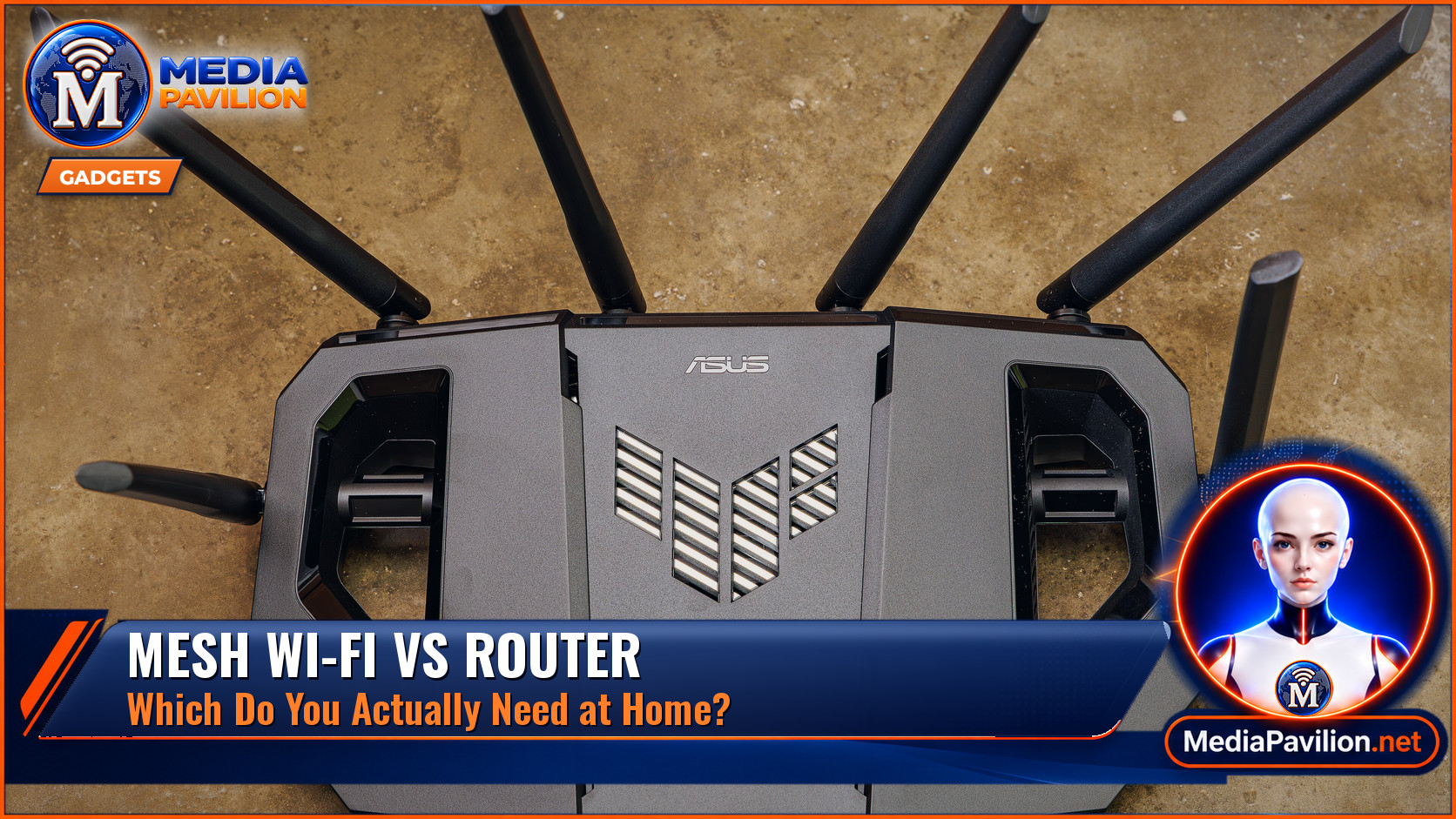
Mesh Wi-Fi vs Router: Which Do You Need at Home?
Quick answer: A single router is usually enough for a small flat or a modest house where one box already covers the rooms you care about. A mesh Wi-Fi system uses two or more units (nodes) that share the same network name and hand your devices from one to the next, which is better for larger homes, thick walls, or dead zones a single router cannot reach. A cheap extender is not the same as mesh: it often creates a second network name and can halve useful speed. Choose by coverage and layout, not by marketing. Wi-Fi 6, 6E and 7 are radio standards; mesh versus router is about how the network is built.
“Mesh Wi-Fi versus a router” is one of the most common home-network questions, usually asked after a video call drops in an upstairs bedroom. The right answer depends on the size and construction of the home, not on which product is newest. This guide explains the difference, when a single router is still the sensible buy, and what to check before you spend more.
What Is the Difference Between a Router and Mesh Wi-Fi?
A router is the box that connects your home network to your internet service and creates a wireless network. In many apartments, the router your internet provider leaves behind, or a single better router you buy yourself, is all you need. Coverage fades with distance, walls, floors and interference from neighbours’ networks.
A mesh system is a team of routers (or one main unit plus satellite nodes) designed to act as one network. You still have a single network name and password. As you move around, your phone should stay on the strongest node rather than clinging to a weak signal from the hall. That is the main promise, and it is why mesh is popular in multi-storey houses and buildings with brick or plaster walls that swallow a single signal.
When Is a Single Router Enough?
If you can sit in every room you actually use and stream video or join a call without buffering, you probably do not need mesh. A one- or two-bedroom flat, an open-plan space, or a small house with the router in a central, elevated spot is the classic single-router case. Moving the existing router off the floor, away from a microwave or a fish tank, and out of a cabinet often fixes more than a new box does.
If only one room is weak, a wired access point in that room, or a power-line kit if you cannot run Ethernet, can be cheaper than a full mesh set. An extender can help in a pinch, but many models create a separate network name and force devices to hop manually, and the wireless backhaul they use can cut throughput. Mesh exists in part to avoid that mess.
When Is Mesh Wi-Fi Worth It?
Mesh is worth a close look if you have dead zones in several rooms, a large floor area, thick walls, or a garden office that still needs a stable link. It is also useful when lots of devices compete at once (phones, TVs, cameras, laptops) and you want one name for the whole house. You will get the best results if at least one of the links between nodes can be wired with Ethernet (a “wired backhaul”). If every node talks to the others only over Wi-Fi, you still gain coverage, but peak speed can drop.
Check the room count the manufacturer claims against your real layout, not a marketing diagram of an empty open-plan house. Place nodes in sight of each other if you can, halfway toward the weak area rather than in the dead zone itself, and avoid stacking them all in one cupboard with the modem.
Do Wi-Fi 6, 6E or 7 Matter More Than Mesh?
They are different choices. Wi-Fi 6, 6E and 7 are generations of the radio standard, with later versions offering more capacity and, in 6E and 7, access to the 6 GHz band where supported. Mesh versus a single router is about coverage architecture. You can buy a single Wi-Fi 7 router, or a Wi-Fi 6 mesh. A newer standard will not fix a house the radio cannot reach, and a mesh on an older standard can still be the right design for a large home. Match the standard to the devices you actually own: a flagship phone may use 6 GHz, a five-year-old TV may not.
Security still matters whichever design you pick. Change the default administrator password on the router or mesh app, keep the firmware up to date, and use a strong Wi-Fi password (or a newer passwordless setup if the system offers one). Guest networks are useful for visitors and smart-home gadgets you do not fully trust. CISA’s home-network advice is the same whether you own one box or four: the extra nodes do not replace basic hygiene.
Price should follow the problem you are trying to solve. A mid-range mesh pack can cost several times a decent single router. If your internet plan is 100 Mbps and your coverage is already fine, spending on a high-end system will not make pages load in a noticeably new way. If calls drop in two bedrooms, coverage is the feature to buy.
Frequently Asked Questions
Is mesh Wi-Fi faster than a router?
Not inherently. Close to a good single router, speeds can be as high or higher than at a distant mesh node. Mesh’s job is more consistent coverage, not a magic speed boost.
Can I add mesh to the router my internet provider gave me?
Often yes. You can put the provider router in bridge or modem mode and let the mesh run the Wi-Fi, or add compatible nodes. Two separate Wi-Fi systems in one house, both broadcasting, is usually a bad mix.
Is an extender the same as mesh?
No. A true mesh system is designed to work as one network. Many extenders are a cheaper, clumsier add-on.
How many nodes do I need?
Start with the smallest pack that matches your floor area and storey count, then add a node only if a room is still weak. Extra nodes in the wrong place can interfere with each other.
The Bottom Line
Use a single router if it already covers the rooms you use. Choose mesh when the house is large, multi-storey or full of stubborn dead zones, and wire the nodes together if you can. Do not confuse a newer Wi-Fi generation with a fix for coverage, and be wary of extenders that split your network in two. For related home-tech questions, see our guides to the internet speed you need for 4K streaming, OLED versus QLED and whether a robot vacuum is worth it.
Related Reading
- What Internet Speed Do You Need to Stream in 4K?
- OLED vs QLED: Which TV Should You Buy in 2026?
- Is a Robot Vacuum Worth It? Costs, Pros, Cons and What to Buy
- How to Back Up Your Computer and Phone: The 3-2-1 Rule Step by Step
Featured image: A home Wi-Fi router (an ASUS TUF Gaming model, shown as an example, not a recommendation), by Dinkun Chen / Wikimedia Commons, CC BY-SA 4.0. Cropped, colour-graded and combined with MediaPavilion branding. Image licensed CC BY-SA 4.0.
Sources
- Wi-Fi Alliance — Wi-Fi Certified 6.
- Cybersecurity and Infrastructure Security Agency — Home Network Security.
- Cybersecurity and Infrastructure Security Agency — Securing Wireless Networks.